Screenshots



Introduction
Peptide Tracker: PeptideBud is a sophisticated mobile application designed specifically for individuals who are utilizing peptide protocols, particularly for GLP-1 medications and custom peptide stacks. Developed by titanium.dev, this app empowers users to meticulously track their peptide administration, ensuring adherence and optimizing their health regimens. With a user-friendly interface and a variety of robust features, PeptideBud stands out as one of the most advanced peptide tracking applications available on the market today.
Graphics & Gameplay
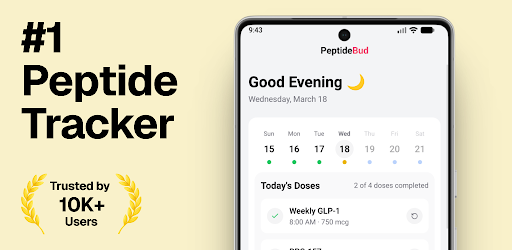
The visuals of Peptide Tracker: PeptideBud are sleek and modern, with an intuitive layout that emphasizes functionality. The app features a well-organized dashboard that displays all scheduled doses for the day at a glance, utilizing vibrant color coding to indicate the status of each dose. For instance, completed doses are marked in green, while yellow indicates partial adherence and red signifies missed doses. This immediate visual feedback allows users to quickly assess their adherence without navigating through complex menus.
The calendar view is particularly impressive, showcasing both monthly and weekly layouts that enable users to see their dosing patterns over time. The overall aesthetic is clean, with smooth transitions and easy navigation, making it accessible for users of all tech-savviness levels. The combination of graphical elements and functional design creates a cohesive experience, ensuring that users can focus on their health management without distractions.
Key Features
- Daily Dashboard: View all scheduled doses in one place, with real-time adherence stats including current streak, adherence percentage, total taken, and total skipped.
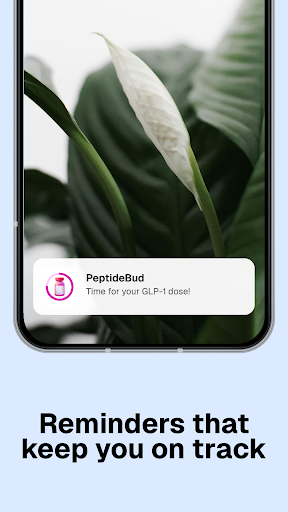
- Smart Notifications: Receive timely reminders for doses, alerts for missed doses, and notifications for cycle transitions and dose adjustments.
- Powerful Protocol Builder: Customize your dosing schedule with options for daily, weekly, bi-weekly, or monthly frequencies. Set tapering and cycling protocols with ease.
- Full Peptide Inventory: Track various peptide types, including vials, pens, oral, nasal, and topical applications, along with vital information such as concentration and expiration dates.
- Built-in Calculators: Utilize peptide, blend, and reconstitution calculators that provide precise dosing information and visual syringe overlays.
- Unit Converter: Instantly convert between mL, mg, µL, and mcg for hassle-free measurements.
- Visual Calendar: Access month and week views with color-coded days to easily track adherence.
- CSV Export: Export your complete dose history as a CSV file for personal records or sharing with healthcare professionals.
- Multi-language Support: Available in 17 languages, making it accessible to a global audience.
Mod Features
- Premium Unlocked: Access all advanced features without any subscription fees, including unlimited protocol setups and advanced analytics.
- No Ads: Enjoy an uninterrupted user experience with all advertisements removed from the app.
- Unlimited Money: Instantly gain unlimited resources within the app for enhanced tracking capabilities and features.
- Custom Themes: Personalize the app's appearance with various themes and color schemes to suit individual preferences.
- Enhanced Security: Additional security features such as biometric login and encrypted data storage for enhanced privacy.
How to Install APK on Android
Installing the Peptide Tracker: PeptideBud APK on your Android device is simple. Follow these steps to get started:
- Enable “Unknown Sources” on your Android device: Go to Settings > Security > Unknown Sources and toggle it on.
- Download the APK file from the official website or trusted source.
- Once the download is complete, navigate to your Downloads folder using a file manager.
- Tap on the APK file to begin the installation process.
- Follow the on-screen instructions to complete the installation.
- After installation, locate the app on your device and launch it to start tracking your peptide protocols!
Call to Action
Ready to take control of your peptide tracking with Peptide Tracker: PeptideBud? Download the app today by visiting the official link: Peptide Tracker: PeptideBud. Experience the convenience and precision of managing your peptides effortlessly!